AI / Infra
NVIDIA NIM API — Free Inference for GLM, Kimi, Nemotron, and Gemma 4
build.nvidia.com serves 100+ open models via a free OpenAI-compatible API, no credit card, up to 40 RPM per model. Setup for Claude Code and Cursor.
NVIDIA has been quietly offering something worth paying attention to.
At build.nvidia.com[1], you get free API access to 100+ large open-source models — Z.ai GLM-5.1, Moonshot Kimi K2, NVIDIA Nemotron 3, Google Gemma 4 and more — running on NVIDIA's accelerated infrastructure. No GPU on your end. No credit card.
Because it's OpenAI-compatible, you can plug it directly into coding agents like Claude Code or Cursor. One config line.
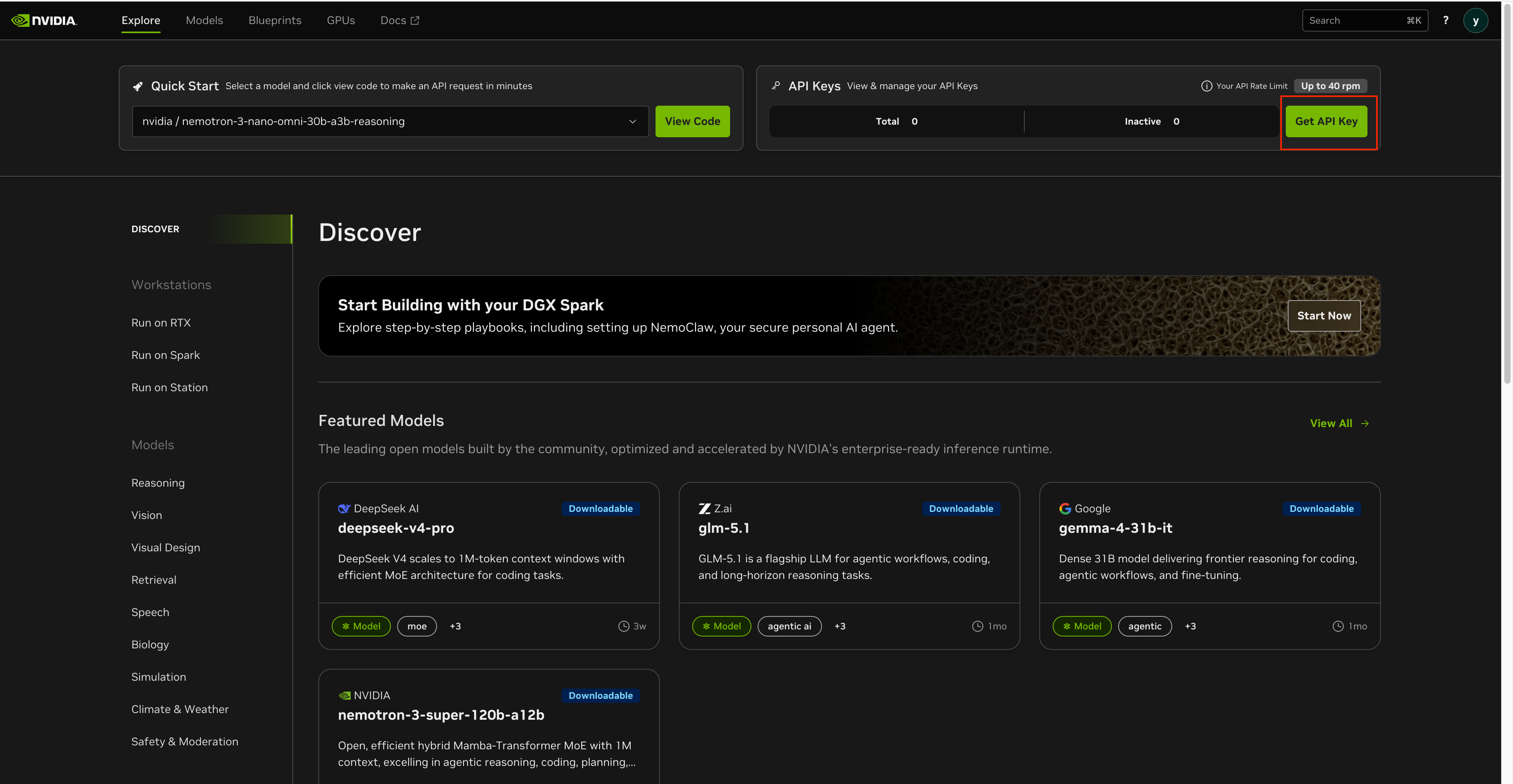
Get an API Key
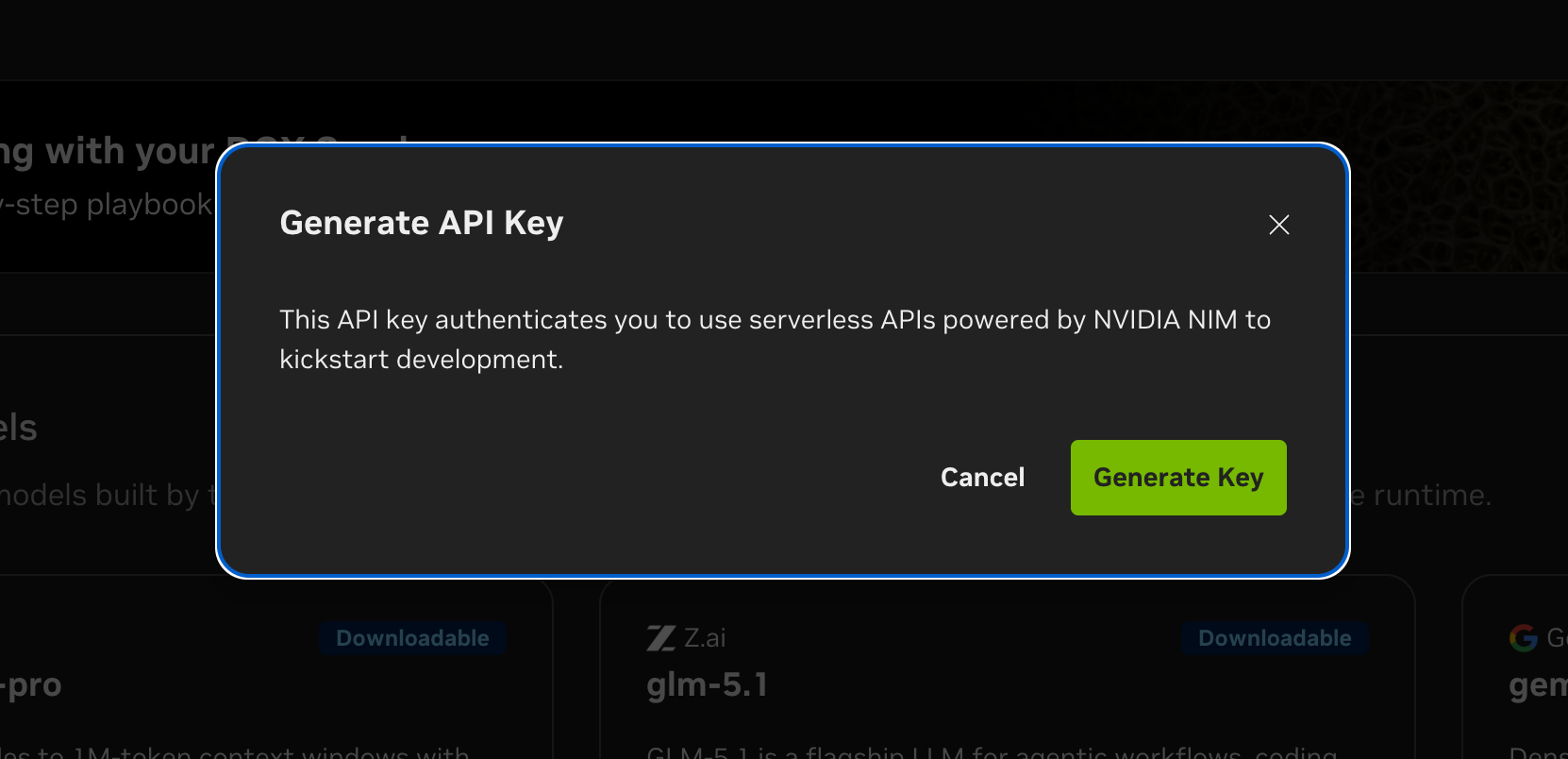
Sign up at build.nvidia.com[1]. Free, no credit card. Click Get API Key → Generate Key. Your key starts with nvapi- and is valid for 6 months.
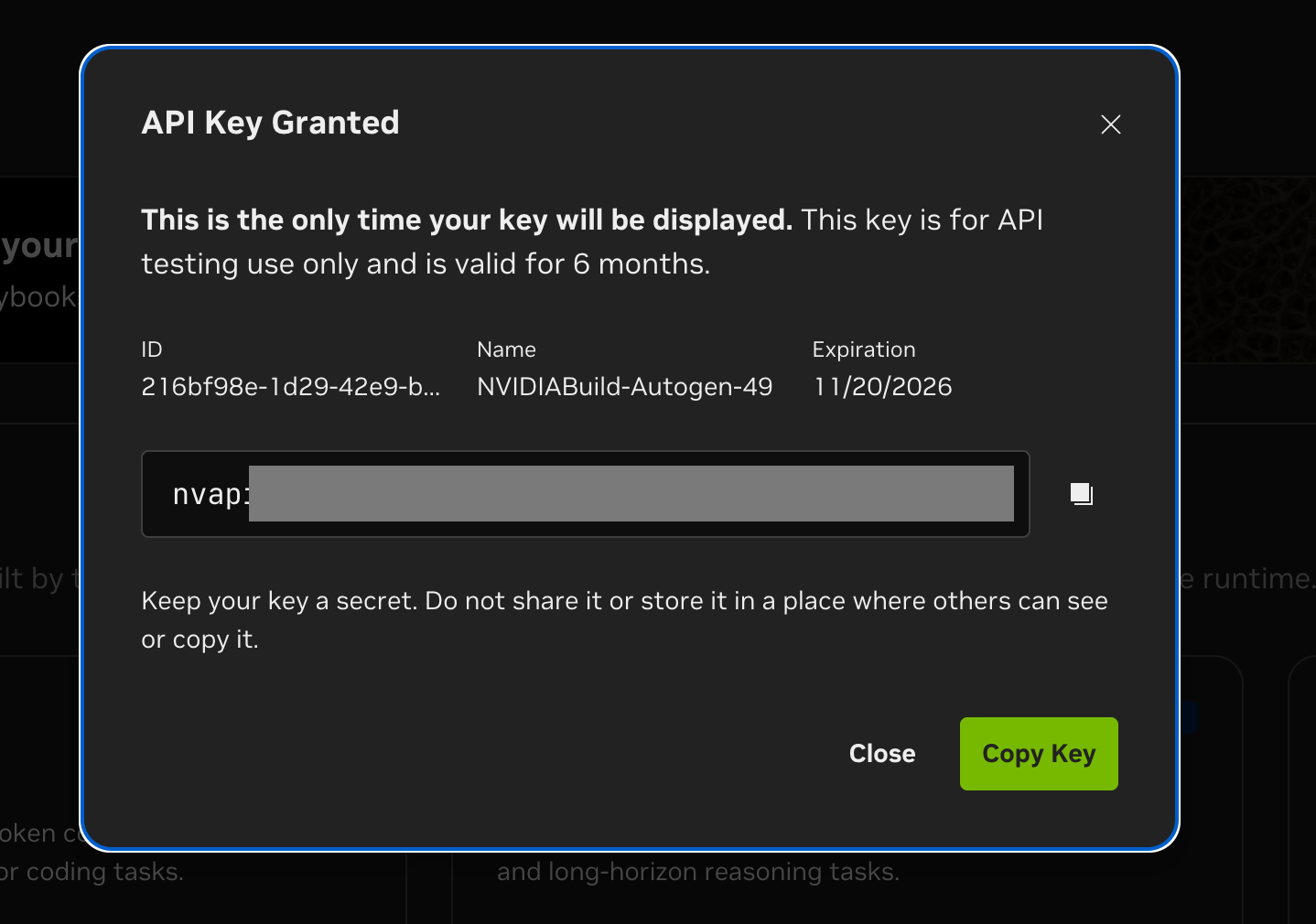
Free tier limits (per NVIDIA's official tooltip):
- Up to 40 RPM per model — a best-effort ceiling, not a guarantee. The exact cap varies by model and traffic from other users may cause throttling well below 40 RPM.
- No per-token billing and no daily/monthly quotas documented
- 6-month key validity (renew via the dashboard)
In practice this is a goodwill allocation on shared infrastructure — closer to a "gift" than a contractual SLA. It's fine for background jobs, batch processing, and personal usage where occasional throttling doesn't matter. For guaranteed throughput, NVIDIA points users to self-hosted NVIDIA NIM[2] deployments as a dedicated endpoint.
Connect to Coding Agents
Claude Code
NVIDIA has official documentation for this. Set environment variables to redirect Claude Code's requests to NVIDIA's endpoint.
export ANTHROPIC_API_KEY="nvapi-YOUR_KEY_HERE"
export ANTHROPIC_BASE_URL="https://integrate.api.nvidia.com/v1"
export ANTHROPIC_CUSTOM_MODEL_OPTION="deepseek-ai/deepseek-v4-pro"
export ANTHROPIC_DEFAULT_HAIKU_MODEL="deepseek-ai/deepseek-v4-pro"
export ANTHROPIC_DEFAULT_SONNET_MODEL="deepseek-ai/deepseek-v4-pro"
export ANTHROPIC_DEFAULT_OPUS_MODEL="deepseek-ai/deepseek-v4-pro"
export CLAUDE_CODE_SUBAGENT_MODEL="deepseek-ai/deepseek-v4-pro"
Then just run claude. Claude Code sends its requests to NVIDIA's infrastructure instead of Anthropic.
Swap in mistralai/devstral-small-2505 for a coding-specific model, or z-ai/glm-5.1 for agentic workflows.
Cursor / Continue / OpenCode
Any OpenAI-compatible agent connects the same way. In Cursor:
Settings → Models → Add Model
Base URL: https://integrate.api.nvidia.com/v1
API Key: nvapi-YOUR_KEY_HERE
Model: deepseek-ai/deepseek-v4-pro
Same approach for Continue, OpenCode, or anything that accepts a custom baseURL.
Basic API Usage
Use the OpenAI Python SDK directly.
pip install openai
Click View Code next to any model on build.nvidia.com to get a copy-paste-ready snippet.
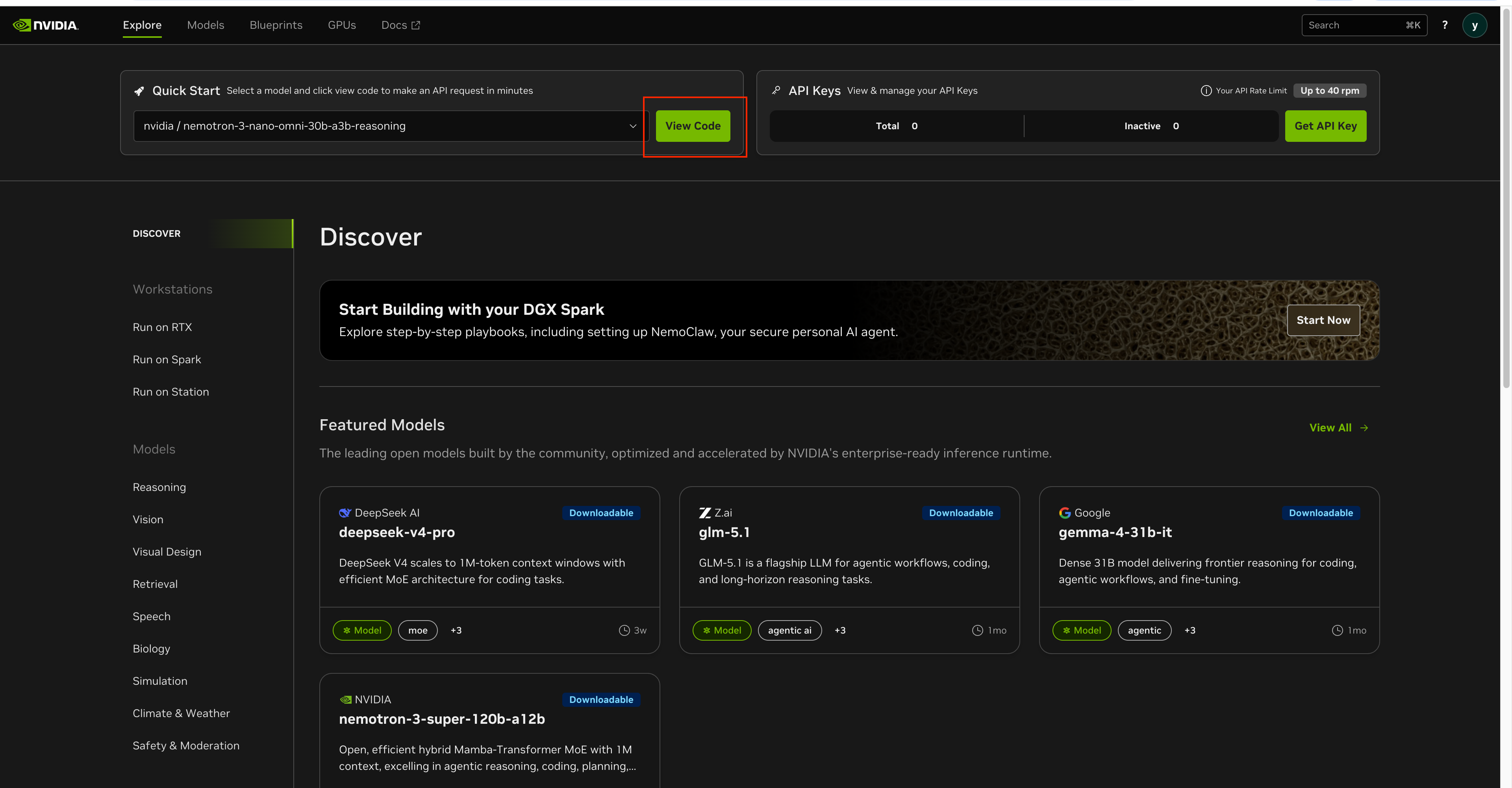
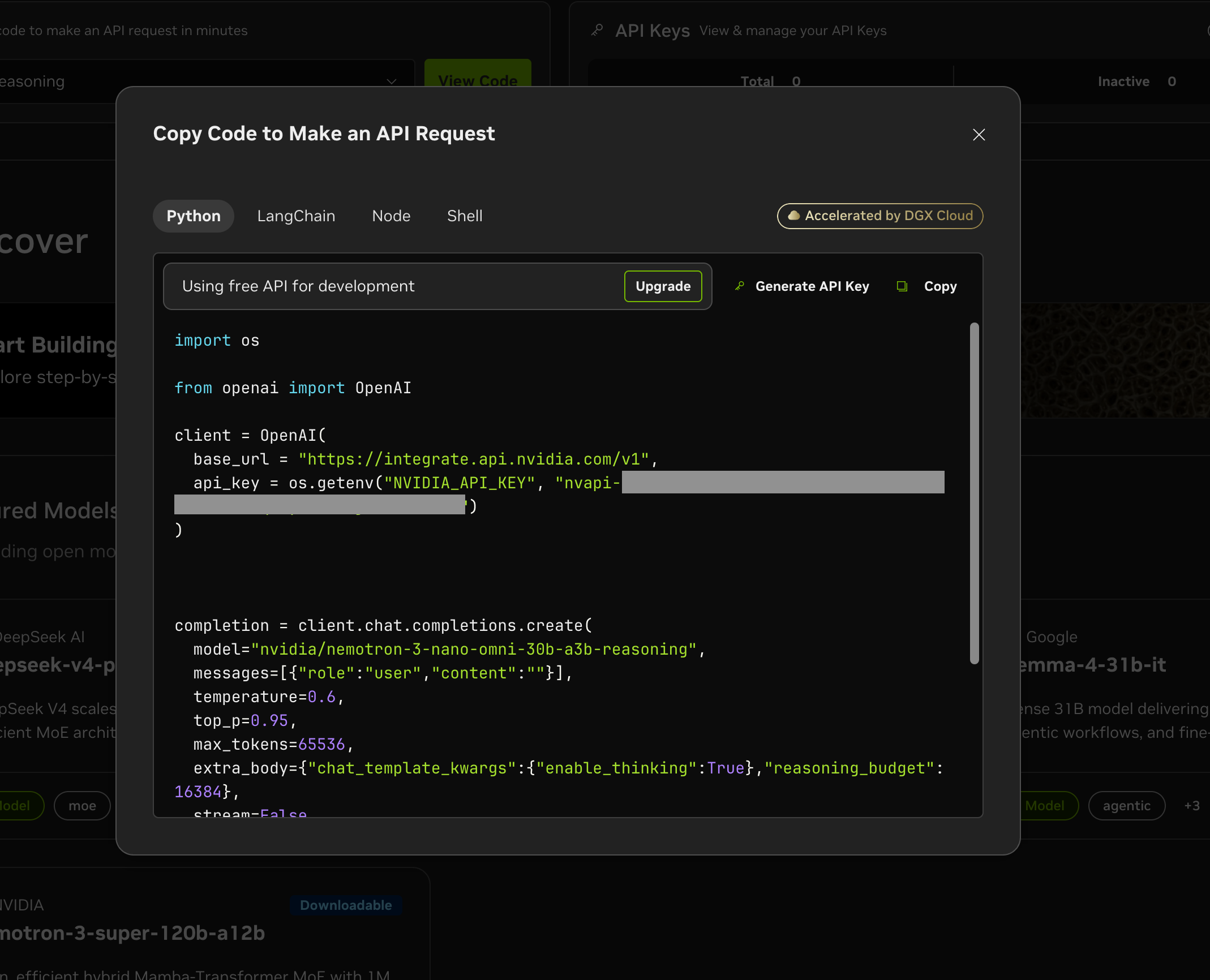
The Quick Start code gives you exactly this form:
import os
from openai import OpenAI

client = OpenAI(
    base_url="https://integrate.api.nvidia.com/v1",
    api_key=os.getenv("NVIDIA_API_KEY"),
)

completion = client.chat.completions.create(
    model="nvidia/nemotron-3-nano-omni-30b-a3b-reasoning",
    messages=[{"role": "user", "content": "2+2는 얼마야?"}],
    temperature=0.6,
    top_p=0.95,
    max_tokens=65536,
    extra_body={
        "chat_template_kwargs": {"enable_thinking": True},
        "reasoning_budget": 16384,
    },
    stream=False,
)

print(completion.choices[0].message.content)
The extra_body field is how NVIDIA exposes model-specific options through the OpenAI-compatible API. Reasoning models accept enable_thinking and reasoning_budget.
Streaming
response = client.chat.completions.create(
    model="deepseek-ai/deepseek-v4-pro",
    messages=[{"role": "user", "content": "Explain REST API design principles"}],
    stream=True,
)

for chunk in response:
    if chunk.choices[0].delta.content:
        print(chunk.choices[0].delta.content, end="", flush=True)
Reasoning Models — Separating Thinking From Output
NIM's reasoning models (Nemotron reasoning variants, DeepSeek V4, GLM-5.1) return the thinking process as a separate field — not inside <think> tags in the main content. The OpenAI SDK exposes it via reasoning_content on the message object.
completion = client.chat.completions.create(
    model="nvidia/nemotron-3-nano-omni-30b-a3b-reasoning",
    messages=[{
        "role": "user",
        "content": "Analyze the time complexity of this function:\n\ndef find_duplicates(arr):\n    result = []\n    for i in range(len(arr)):\n        for j in range(i+1, len(arr)):\n            if arr[i] == arr[j] and arr[i] not in result:\n                result.append(arr[i])\n    return result"
    }],
    temperature=0.6,
    top_p=0.95,
    max_tokens=4096,
    extra_body={
        "chat_template_kwargs": {"enable_thinking": True},
        "reasoning_budget": 8192,
    },
)

msg = completion.choices[0].message
reasoning = getattr(msg, "reasoning_content", None)

if reasoning:
    print("[thinking]", reasoning)
print("[answer]", msg.content)
Sample output for a simple "2+2는 얼마야?" request:
[thinking] The user asks in Korean: "2+2는 얼마야?" which means "What is 2+2?"
The answer is 4. Should respond in Korean.
[answer] 2 + 2 = 4.
The reasoning_content is useful for debugging prompts, displaying transparent reasoning in UIs, or filtering out thinking from logged content.
Model Catalog Highlights
Featured models from the build.nvidia.com catalog:
| Model | Notes |
|---|---|
deepseek-ai/deepseek-v4-pro | 1M context MoE, coding and reasoning |
z-ai/glm-5.1 | Flagship agentic LLM, long-horizon reasoning |
google/gemma-4-31b-it | Dense 31B, frontier reasoning, fine-tunable |
nvidia/nemotron-3-super-120b-a12b | 120B Mamba-Transformer MoE, 1M context |
nvidia/nemotron-3-nano-omni-30b-a3b-reasoning | 30B omni-modal reasoning |
mistralai/devstral-small-2505 | Coding-focused |
Embeddings
response = client.embeddings.create(
    model="nvidia/nv-embedqa-e5-v5",
    input="Text to embed for RAG",
    encoding_format="float",
)
embedding = response.data[0].embedding
Vision (omni-modal)
import base64

with open("screenshot.png", "rb") as f:
    image_b64 = base64.b64encode(f.read()).decode()

response = client.chat.completions.create(
    model="nvidia/nemotron-3-nano-omni-30b-a3b-reasoning",
    messages=[{
        "role": "user",
        "content": [
            {"type": "text", "text": "Find the bug in this code screenshot"},
            {"type": "image_url", "image_url": {"url": f"data:image/png;base64,{image_b64}"}},
        ],
    }],
)
List All Available Models
models = client.models.list()
for model in models.data:
    print(model.id)
References
References · 3
- [1] build.nvidia.com
- [2] NVIDIA NIM — developer.nvidia.com
- [3] Claude Code + NIM Official Docs — docs.nvidia.com